
Agentic Pentesting with MCP
How proxy-backed MCP gives pentesting teams speed and visibility into what their agents are doing

Ian Bouchard
•
July 14, 2026
5 min read
If you're already running AI agents on engagements (Claude Code, Cursor, or whatever host you like), you know the speed upside. You map the app faster, hit interesting bugs sooner, and get help writing reports.
A lot of that speed comes from the agent handling HTTP on its own: custom scripts, one-off curl calls, or some other tool call.
That is fine until you have to review the session. What usually happens is the work never makes it into a place your team can review:
- The traffic lives in the chat or a terminal, so you can't open History and see what is in flight.
- When a teammate asks what got tested, all you have is a transcript.
- Replaying an exploit means prompting the model again and hoping it rebuilds the same request.
- The useful part is often the agent's plan (how it sliced the app, what it tried next), and that tends to get lost as the chat grows.
The underlying issue here is observability, and without it you can't really trust what the agent did.
In this post, we will talk about proxy-backed MCP servers: using the UI you already live in as an observability platform for your agents. For MCP host/client/server basics, see The Practitioner’s Guide to AI-Enhanced Hacking.
What is a proxy-backed MCP server?
A proxy-backed MCP server is just an MCP server that exposes your favorite web security proxy (Caido, Burp Suite, ZAP).
You already use these tools to exploit bugs, organize requests, run scans, and dig through browsing history. An MCP server on that same surface lets your agent use the proxy the way you do.
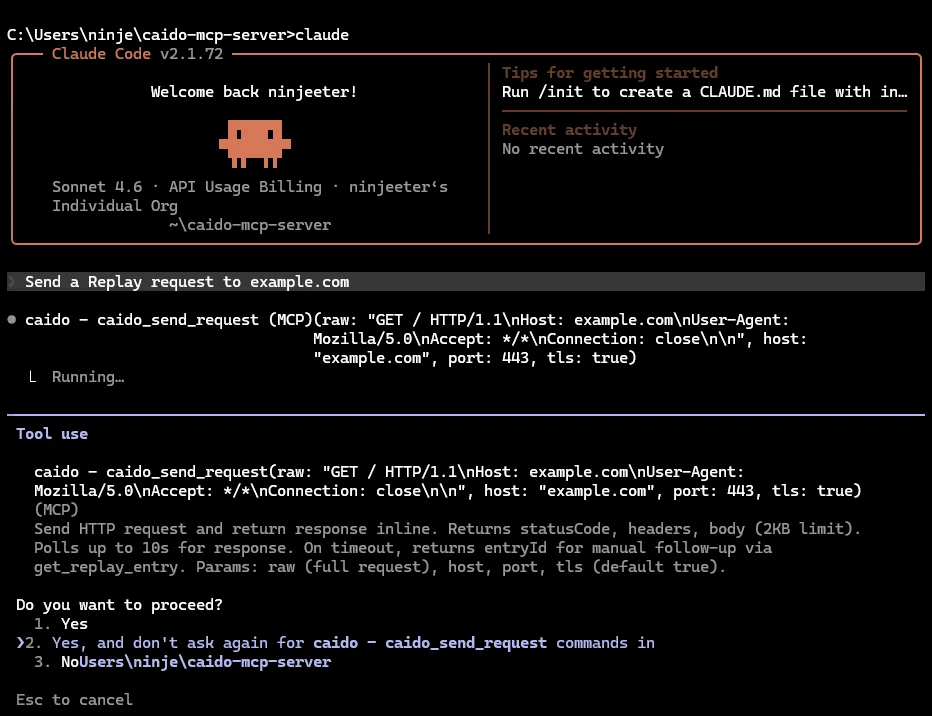
Instead of using its own approach to sending HTTP requests, the agent operates the proxy behind the UI you already have open. Requests land in your proxy history or Replay page, so the traffic is not tied to the chat. The agent’s work sits in a project like any other session you would reopen later.
A proxy-backed MCP server should answer four questions:
- Human observability. Can you watch the agent in the proxy while it runs, and reopen the work in the project later (not only in the chat)?
- Context. Can the agent read project context (History, Replay, Findings, and the rest)?
- Actions. Can it operate the workflows you already use, or is it stuck just sending HTTP?
- Guardrails. Are there controls to block or approve potentially dangerous agent actions?
If a solution nails those, you are in a much better spot to trust AI on real engagements and benefit from the speed it provides.
Existing MCP solutions
For web proxies, two MCP options come up a lot: Burp Suite and Caido. Both hook an agent into a proxy, but have their own strengths and weaknesses.
PortSwigger’s official MCP Server is a Burp Suite extension that exposes Burp to an MCP host. You install it in Burp and point your agent at the server the extension runs.
The community-developed Caido MCP Server by c0tton-fluff is a separate process that talks to a local Caido instance over GraphQL and exposes Caido to an MCP host.
| Burp Suite MCP | Caido MCP Server | |
|---|---|---|
| Distribution | Official PortSwigger extension | Community-developed |
| Human observability | Agent work shows up in Burp’s UI. | Agent work shows up in Caido. |
| Context (agent reads project) | 11 tools
| 29 tools
|
| Actions (agent operates proxy) | 11 tools
| 35 tools
|
| Guardrails |
|
|
Burp’s MCP is a first-party option with the better guardrail system. You can gate actions and data access before a tool runs and pick what targets are auto-approved.
The Caido MCP Server goes further on human observability, context, and actions. The agent can dig through the project and operate a wider slice of the proxy, so the project you review afterward holds more of the agent’s work.
What it looks like in practice
On a new engagement, you hand the agent a target URL and credentials. You ask it to navigate the app through the proxy, identify the domain resources it finds, and organize them into Replay collections.
For example:
Navigate the entire app. Find all domain resources (for example users, files, projects, comments). Create a Replay collection for each resource, and create a Replay session for each CRUD operation on that resource.
What you usually get back is a project you can work in: History you can query for the pages the agent visited, a Sitemap filled in from that same traffic, and Replay organized by resource, with create, read, update, and delete sessions nested under each collection.
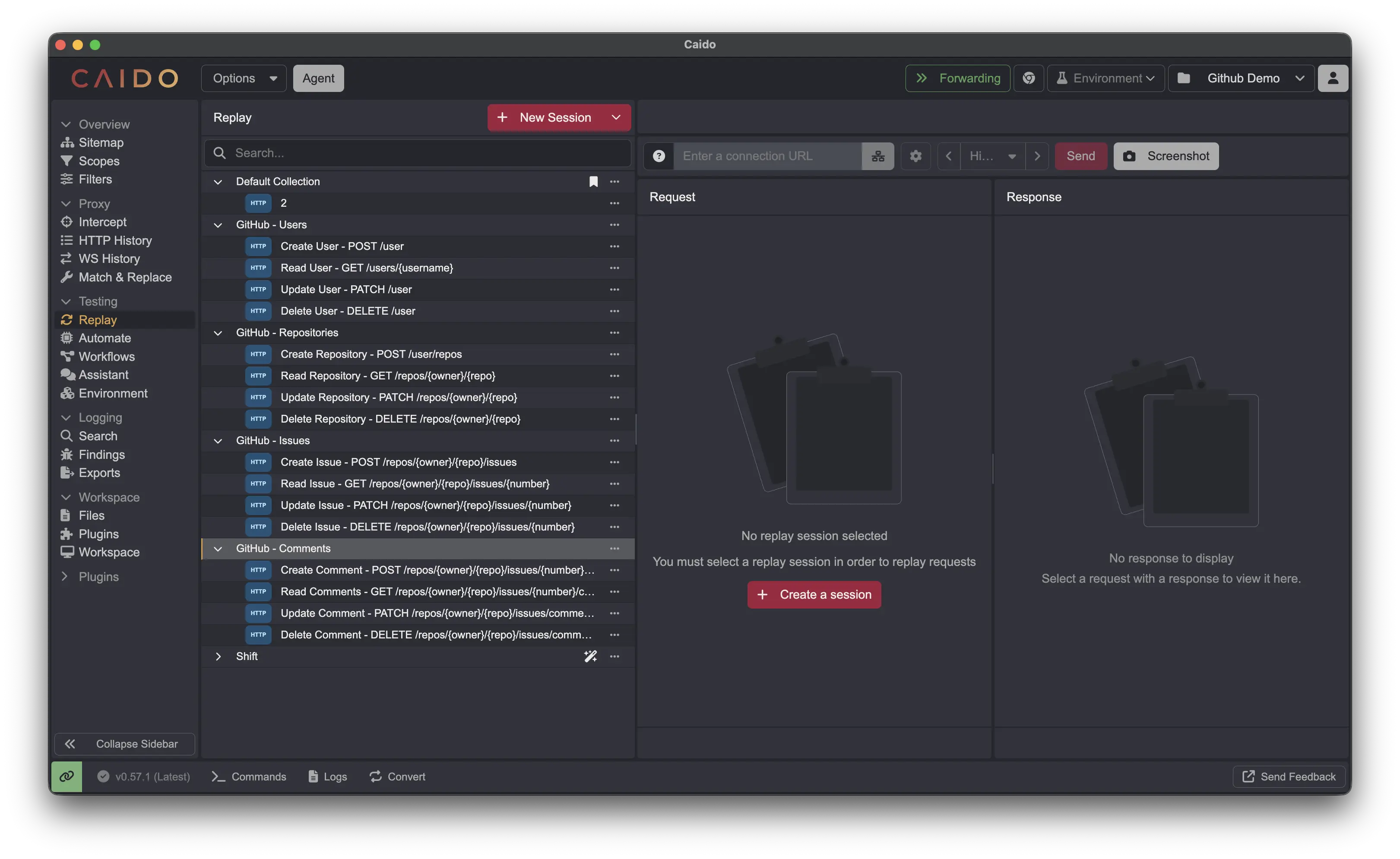
From there, you can ask the agent to test a specific CRUD session, or work with you on sessions that are already there. The agent's output is saved in the project, meaning you do not have to reconstruct the run from chat history.
Closing
Agentic pentesting only earns trust when you can see what the agent did, not just read what it claimed. Proxy-backed MCP routes that traffic through the proxy you already use, so the run is observable live and persists in the project afterward.
Keep reading
Part of our AI-enhanced hacking series:
- The Practitioner's Guide to AI-Enhanced Hacking: chat bots, agents, MCP, Skills, and local models.
- Announcing AI-driven Caido: the Client SDK and AI Skill, with security researcher Joseph Thacker.